應屆畢業研究生登入WASS 學位論文檢測系統後,務必【填寫主要指導教授之姓名及 Email 信箱】。
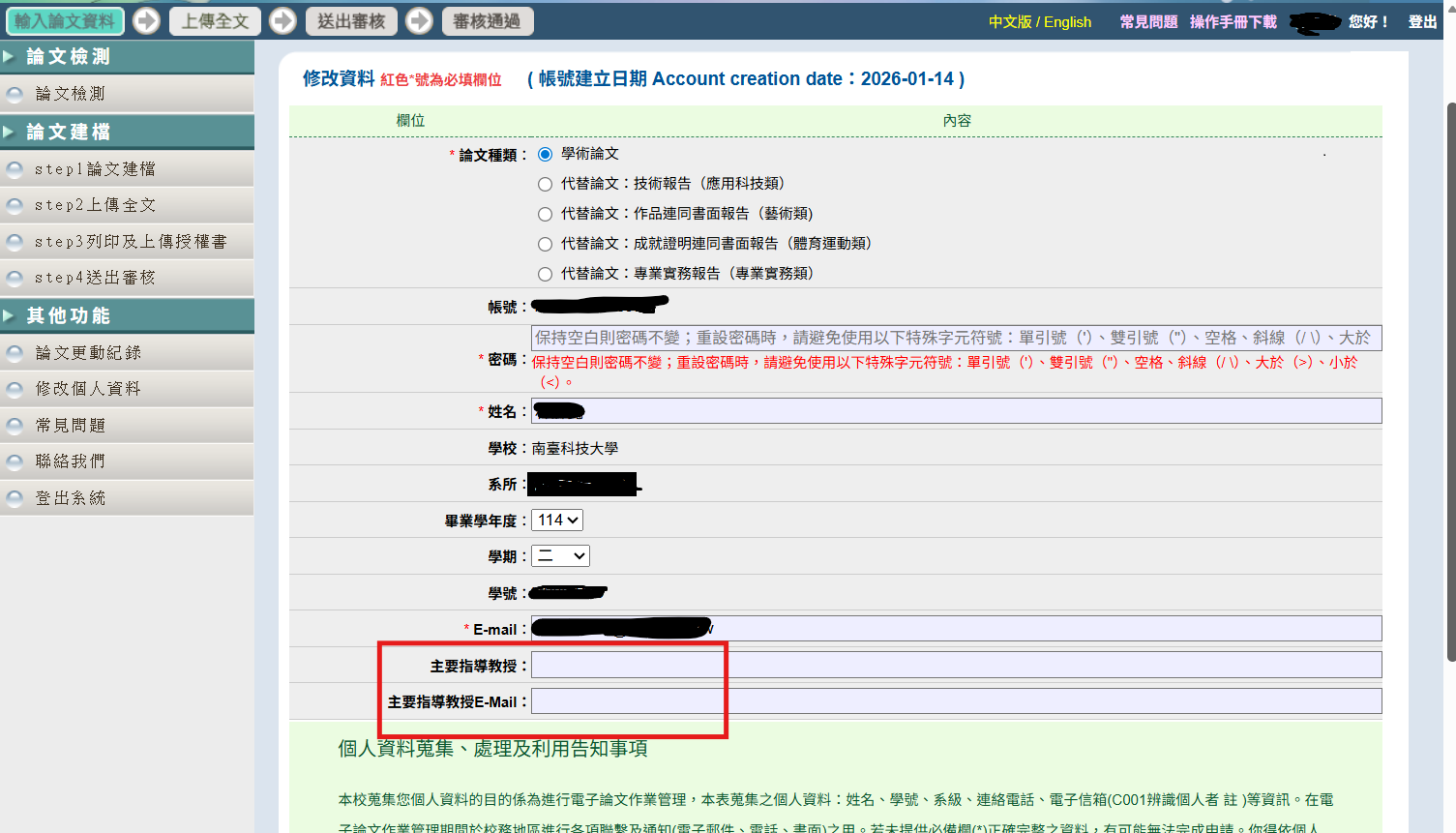
當您登入「南臺科大博碩士論文系統」使用WASS 學位論文檢測系統時,系統畫面將如附檔所示,請先確認並填寫主要指導教授姓名及正確的Email 信箱,以確保後續論文檢測作業可順利進行。
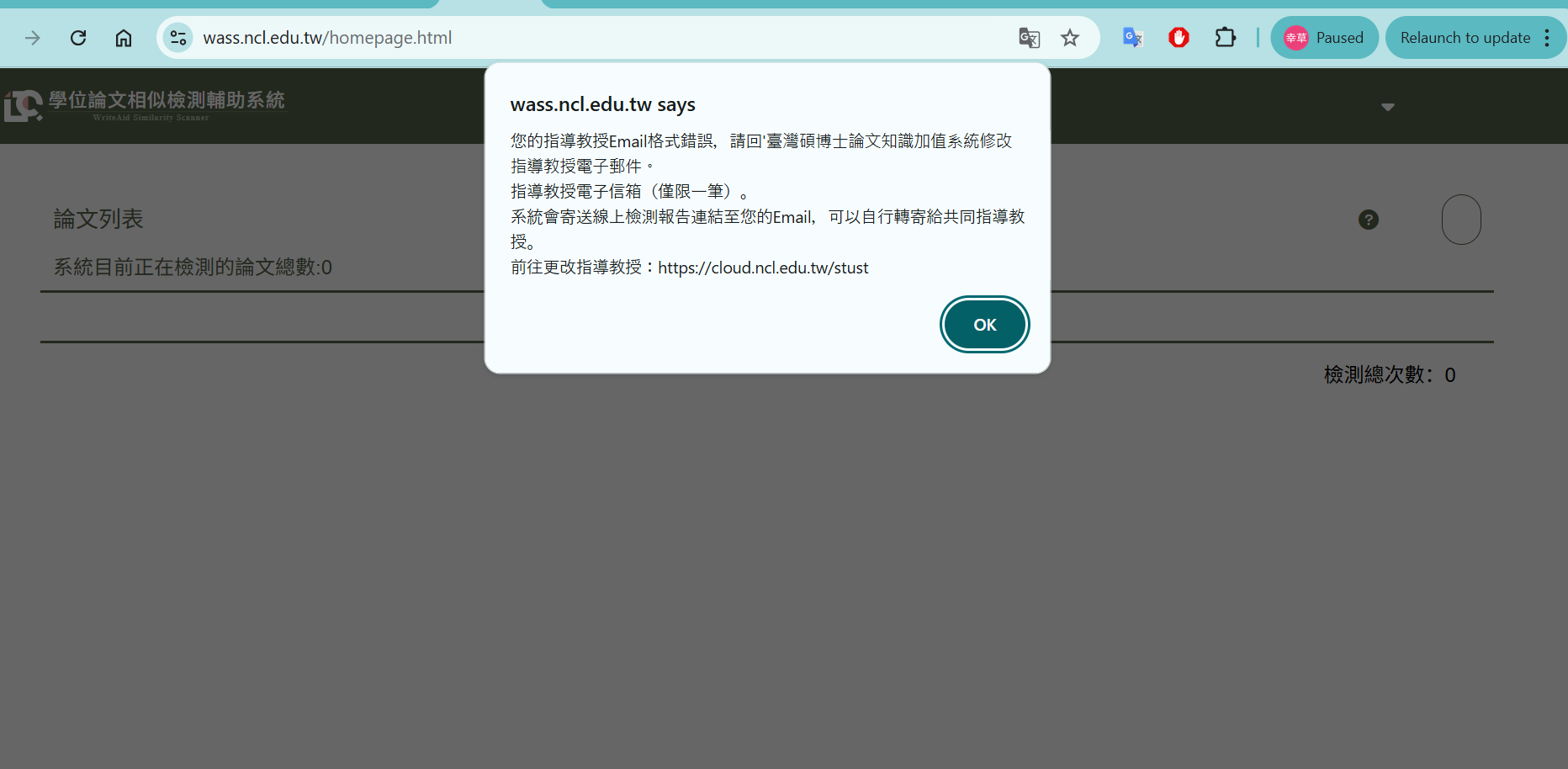
若未填寫主要指導教授姓名及 Email 信箱,於點選「論文檢測」功能時,系統將出現【指導教授 Email 格式錯誤】之提示訊息,並將無法使用論文檢測系統。請同學務必提前確認資料填寫正確,以免影響論文檢測與畢業作業時程。
All graduating graduate students who use the WASS Thesis/Dissertation Plagiarism Detection System must enter the name and EMail address of their primary advisor after logging in.
When you log in to the STUST Thesis and Dissertation System to use the WASS Thesis/Dissertation Plagiarism Detection System, the system screen will appear as shown in the attached file. Please make sure to verify and enter your primary advisor’s name and a valid email address first, so that the subsequent thesis checking process can proceed smoothly.
If the primary advisor’s name and EMail address are not entered, an error message “Advisor Email Format Error” will appear when you click on the Thesis Check function, and you will not be able to use the plagiarism detection system.
Students are strongly advised to verify that all required information is entered correctly in advance to avoid any delays in thesis checking and graduation procedures.
Sincerely yours,
Office of Library and Information Services, STUST